
Sim Coaches data guide
How to read iRacing telemetry.
Start at the same point on the circuit. Compare the pedal inputs, then follow the speed trace down the road. A difference that looks big at corner entry can be almost gone by the exit.
Circuit telemetry
Oulton Park
International without chicanes
Skip Barber Formula 2000
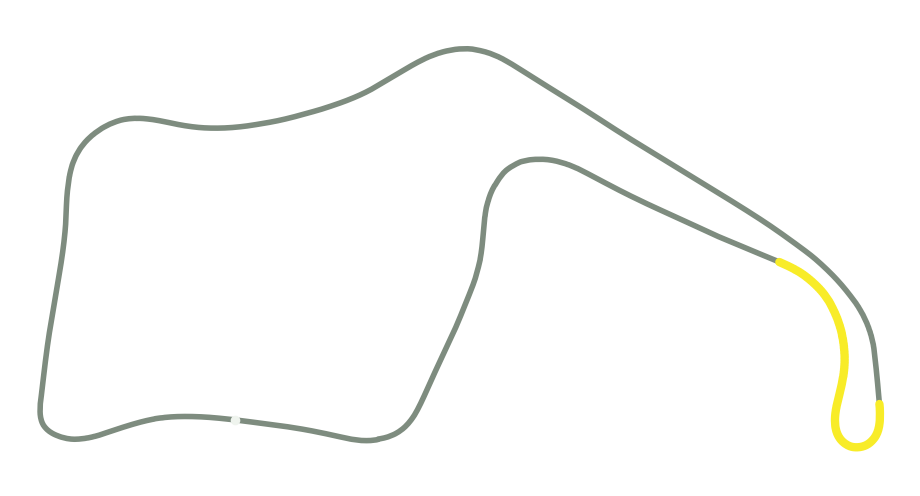
- Run A
- 1:48.817
- Run B
- 1:48.217



Oulton Park · Skip Barber Formula 2000
Where did the speed gap come from?
Throttle pickup
Run B was at 98% throttle while Run A was at 20%. Neither was on the brake. Follow both speed traces forward from this point.
Speed difference
Run B carried 158.2 km/h against Run A’s 150.0 km/h. The gap was 8.2 km/h here. A few metres later, Run B lifted again.
Check the exit
Both runs reached full throttle. The speed gap had narrowed to 2.3 km/h. This is why it pays to follow a change through the next braking zone.
Sim Coaches recorded both runs on its iRacing test rig. The charts align the samples every five metres using linear interpolation. The 0.600-second difference is for the whole lap. These runs illustrate how to read telemetry.
Inside TrackPro telemetry
Choose two laps. Find the gap.
In this separate Red Bull Ring session, the lap list and time-delta graph show you where to start a comparison.
View the full app screen ↗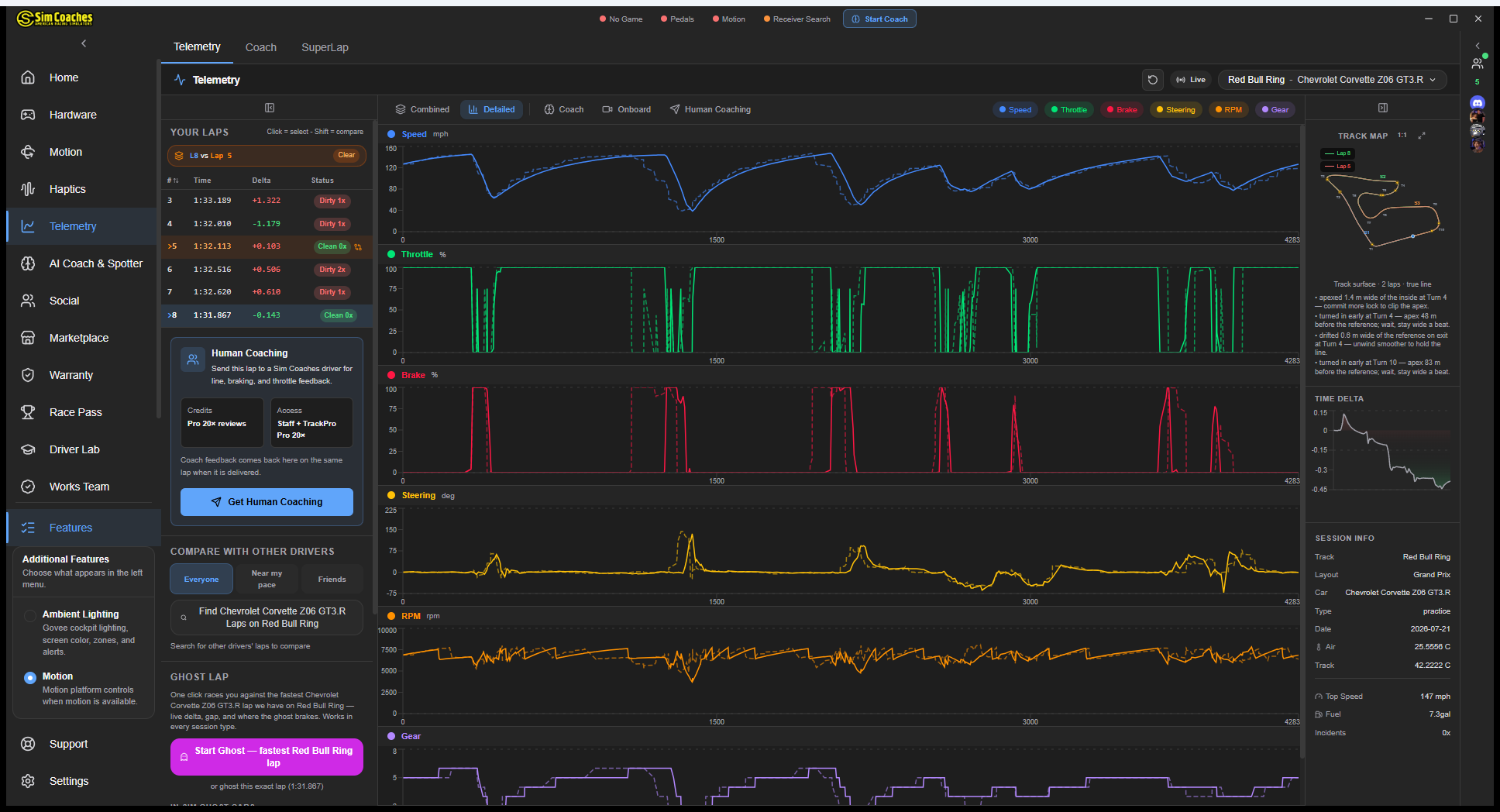
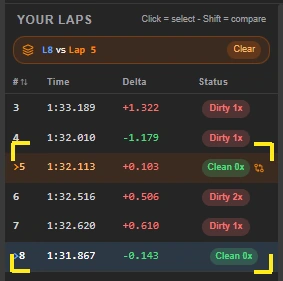
Pick comparable laps
Laps 5 and 8 carry the green Clean 0x label. Click one lap and Shift-click the other to compare their traces.
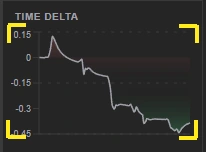
Follow the time delta
A steep change shows a gap opening or closing. Check the speed and pedal traces at that distance to see what the car did.
Try it on your own laps.
Personal lap recording and analysis are part of TrackPro Free for Windows. With a Blip plan, you can also ask about the corner over the radio and follow up on the next clean pass.