
TrackPro for iRacing
Your next iRacing
practice session.
iRacing runs the simulation. TrackPro runs beside it on your Windows PC, reading the car’s inputs and lap times. Use the free app to review your driving, or add Blip to talk through a corner on the radio.
Your first session
Pick one car, one track and one corner.
Connect the sim
Open TrackPro on the same PC as iRacing, sign in and join a practice session. Check that your pedal inputs move in TrackPro. For voice coaching, select your microphone and headset and bind push-to-talk.
Set a baseline
Warm the tires and drive a clean lap at a pace you can repeat. On a quiet straight, ask Blip, “Where did I lose the most time that lap?” Listen for one change to try.
Ask a follow-up on the next clean lap
If the call was about dragging the brake, try releasing it earlier. On the straight, ask Blip, “Did I get off the brake sooner that time?” It can check the same input again as you work that corner.
How Blip learns from practice
After the stint
See what happened on exit.
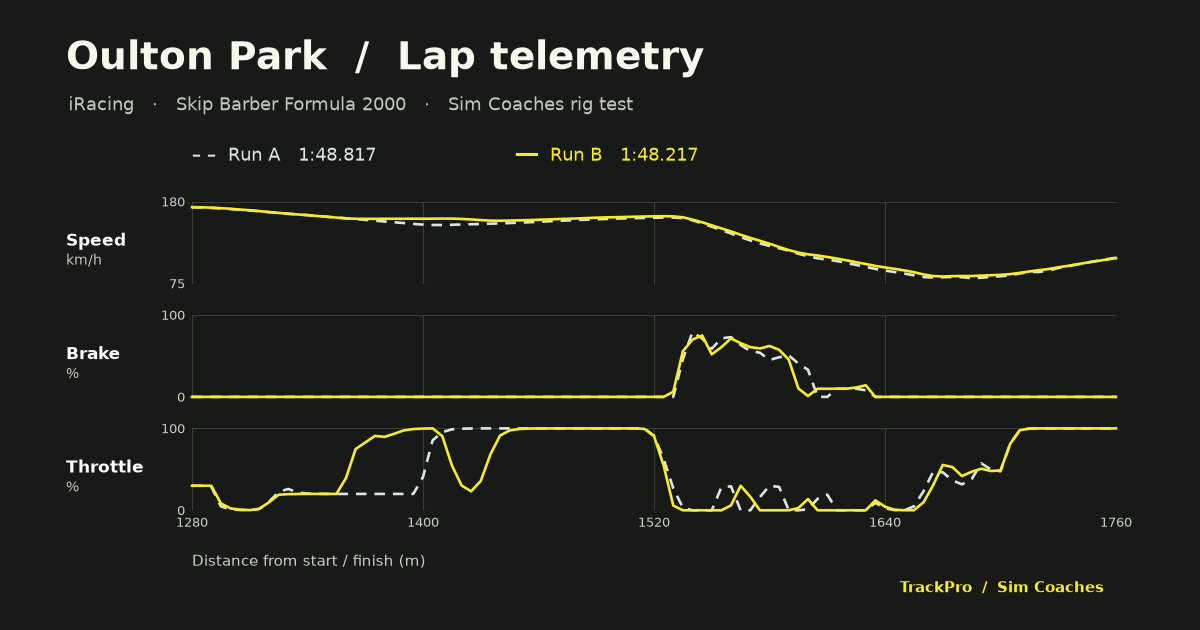
Select two clean laps from the same car and circuit. See where brake pressure returns to zero, when you can hold the throttle open, and whether exit speed stays higher down the straight.
Your own lap review is free. Paid plans add community lap comparisons and the Ghost Lap overlay.
Learn to read iRacing telemetry with two recorded laps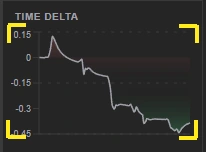
Race-day tools
Turn on the spotter for traffic calls. Use timing, fuel and standings overlays to keep the information you need in sight. Bass shakers and compatible motion rigs can use the same sim data for physical feedback.
See the full feature list